Monday, February 16, 2015
Remote Phone Call v5 2 build 12 APK
Remote Phone Call v5.2 build 12 APK

Use your Microsoft Windows PC as remote dialer for managing incoming and outgoing calls and for writing and receiving SMS messages!
Remote Phone Call play.google.com.remotePhone
Look for missed incoming calls in your call log, read your SMS and use your phone contacts for dialing and creating SMS messages. All from your Windows desktop via Wi-Fi or Bluetooth....
Ideal in conjunction with a Bluetooth headset. You can leave your phone in the docking station while managing yourcalls.
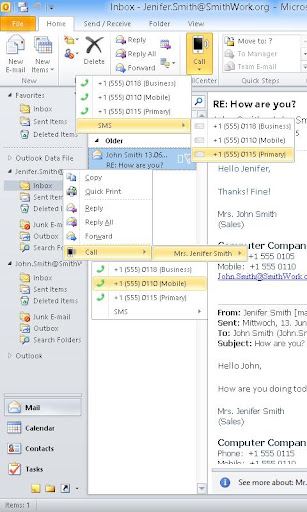
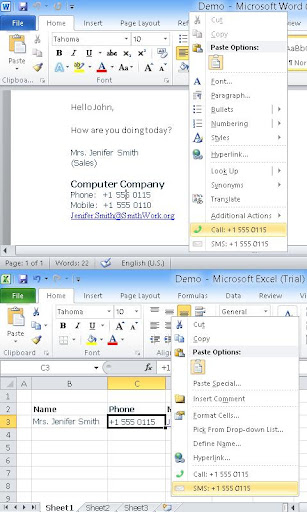
The additional Microsoft Office integration allows simple dialing and SMS creation direct from Outlook, Word and Excel.
Also look for the 15 day trial version "Remote Phone Call Trial".
Simply the remote control for your mobile phone!
CallCenter features (app running on your PC):
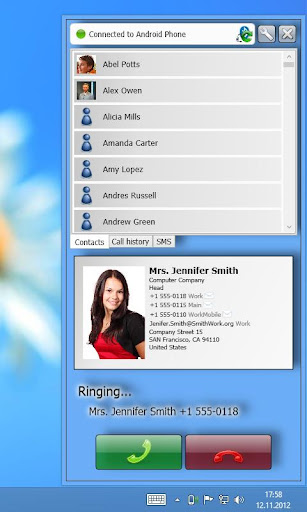
Shows phone contacts
Shows call log
Allows dialing contacts, call log entries and entered numbers
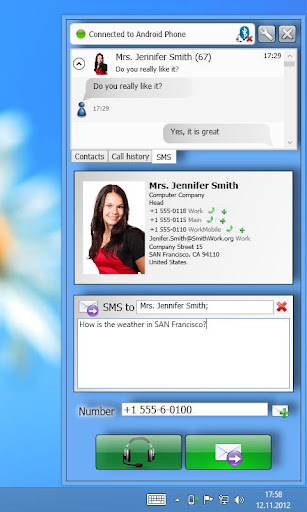
Writing and reading SMS messages
Contact search
Answer incoming calls
Popup for incoming calls and SMS messages
Manage audio settings
Hotkey for dialing numbers from the clipboard
Hotkey for accepting incoming calls
Handle "tel" and "callto" ULRs
Auto start at windows loginCallCenter Microsoft Office integration:
Allows dialing selected numbers using the context menu of the text editor (Outlook, Excel and Word)
Allows calling email sender and recipients with help of contact information (Outlook)RemotePhone features (app running on your phone):
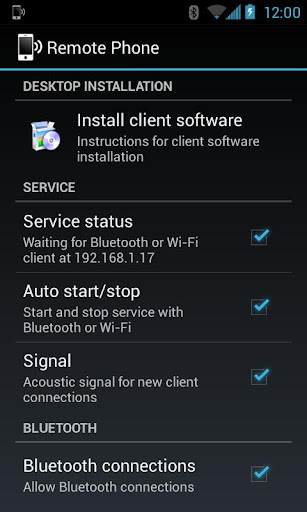
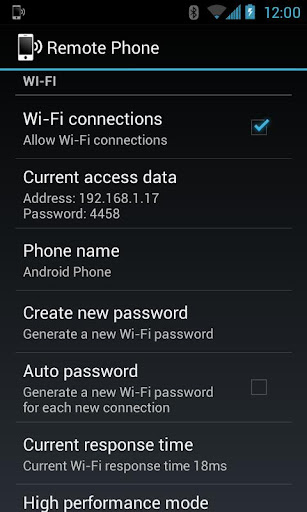
Auto start with Wi-Fi or Bluetooth
Acoustic signal on connect
Show connection status
Send or download client installation packageto your Microsoft Windows PC
System requirements:
a Microsoft Windows PC (XP or newer)
a Wi-Fi (WLAN) environment or a Bluetooth* enabled PCSupported Bluetooth stacks: default Microsoft stack, WIDCOMM stack
The PC application CallCenter offers a programming interface (API), which allows developers the use of the remote control features within arbitrary own applications. The SDK together with a sample can be found in the subdirectory "SDK" within the installation directory on your PC.
Whats in this version : (Updated : Jun 18, 2013)
WIFI, Bluetooth and touchscreen hardware requirements removed
app option for disabling SMS features
about dialog for the app added
some GUI improvements for the PC client
new option for contact sort order mode
msi installation package digitally signed
Required Android O/S : 2.0+
Screenshots :
Download : 1.3Mb APK


Subscribe to:
Post Comments (Atom)
No comments:
Post a Comment
Note: Only a member of this blog may post a comment.